The 3 Dots
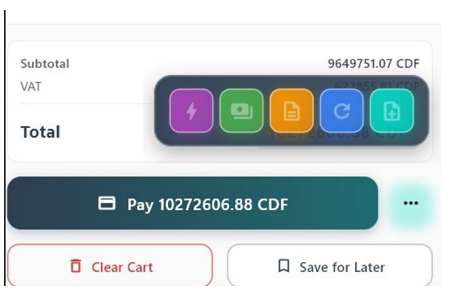
Add Test Items Button
This button automatically adds 100 items to the system for testing. It is primarily used in development or test environments to quickly generate sample data.
Create Transaction Button
This button creates a regular transaction following the standard transaction flow. It processes the selected items and finalizes the sale normally.
Create Proforma Button
This button generates a proforma invoice. After creating the proforma, payments can be added later if necessary, until the invoice is fully settled.
Direct Refund Button
This button allows you to issue a direct refund for the selected product(s). It processes the refund immediately without requiring additional transaction steps.
Add Notes Button
This button allows you to add notes to the current invoice. Notes are saved and linked directly to the invoice for reference.
Proforma Orders (if available)
Orders without immediate payment
Proforma orders allow you to create an order without immediate payment.
Used for:
The order can be finalized later, once payment is received.